All episodes
Mickey Alon
Founder foldspace.ai
Clicks whisper, prompts yell: the future of SaaS UX
Teams our guests have shipped with






5 free onboarding UX fixes you can ship next week to convert more trials




Order your free video audit
12+ years of experience (ex-Zapier)
Helped ZenMaid grow from $1M to $5M ARR
Clicks whisper, prompts yell: the future of SaaS UX in the agentic era (with Mickey Alon of Foldspace AI)
What happens to SaaS user experience when users stop clicking through menus and start telling an AI agent what they want? In this episode of the Love at First Try podcast, Jim Zarkadas sits down with Mickey Alon, co-founder and CEO of Foldspace AI, to answer exactly that. Mickey has founded two companies that were acquired (the first by Marketo, where he then led the development team, before joining Gainsight), and co-authored what he calls the first book on product-led growth - and he's now building agentic interfaces that let users operate SaaS products through conversation. Below are the key insights from the conversation, followed by the full transcript.
What is an agentic interface?
An agentic interface is an AI agent embedded inside a SaaS product that users can talk to: they state the outcome they want, and the agent operates the product to deliver it. As Mickey Alon puts it, the goal is to "collapse the distance between user intent and outcomes." Instead of learning menus, best practices, and advanced features, users skip the product complexity, menu diving, and cognitive load entirely. Mickey's core argument: users don't come to learn your software, they come for an outcome - and at Marketo his team found that most users knew only about 60% of what the product could offer.
Chat reveals user intent that click tracking never could
Traditional product analytics track clicks and page views, which makes it hard to know what users are actually trying to do. When users chat with an in-product agent, they describe their goal in their own words. Foldspace's motto for this: clicks whisper, prompts yell. For the first time, SaaS teams can combine usage data with intent data - tapping into demand, sentiment, and how users describe their problems, including requests for features the product doesn't even have yet.
70% of users ask AI to act, not to answer
When Foldspace deploys an agentic interface, they measure whether people ask the agent for information or ask it to do things. Across industries - including non-tech, blue-collar users - 70% of people ask the agent to perform actions, and only 30% at most ask for information. Mickey's takeaway: since ChatGPT and Claude, people already expect AI to do things for them, so no user education was needed.
Visual responses beat text, and speed is a feature
In Foldspace's measurements, visual responses from the agent (KPI trends, widgets) get dramatically more clicks and engagement than text responses - we read a trend line in milliseconds, while three sentences take effort. Mickey also shared a hard threshold: if the LLM takes more than 3 seconds to respond, users disengage. His conclusion for the future of SaaS UX: chat is the best way to tell software what you need, but UI remains the best way to consume information - the future is a combination, with less and less menu diving.
Why "generate with AI" buttons are designed to fail
Mickey's rule of thumb: a bare "generate with AI" button is like clicking "I'm feeling lucky" on Google - it fails because the agent has no context. An effective agentic interface needs to know which page you're on, what your dashboard shows, what the data is, who you are, and what your objective is. That's also his critique of the "everything will be MCP" thesis: "MCP is a new name for API," and it lacks the defaults, settings, and context that the product's own UI provides for free.
Think twice before your next UI revamp
Mickey went through several UI revamp projects himself, and points to Salesforce's, which he says took more than a year at minimum. The result of such revamps: new users say it looks nicer, existing users hate relearning where everything is, and the underlying complexity stays - "lipstick on a pig." His advice: a UI revamp is always a signal that your product has too many features, and it's exactly the moment to consider an agentic, AI-first approach instead.
The new AI-native product stack
Mickey describes the emerging architecture in three layers: a deterministic backend (validations and workflows, so the agent never "books a phantom flight"), specialized agent loops that make decisions and trigger those deterministic workflows, and an agentic interface on top. His analogy: the AI is the brain, your existing product is the body. For trust, his team advises human-in-the-loop confirmation before any create, update, or delete - the agent shows "here's what I'm gonna do" and the user approves.
Prompts are the new clicks
Mickey's prediction for product metrics: the number of prompts a user needs to reach an outcome will replace the number of clicks as the core UX KPI. A good first prompt should deliver about 80% of the outcome. And because AI behavior is non-deterministic, his team built TrustLab, an internal module that tests agents with scores and LLM-as-a-judge instead of pass/fail tests.
Episode chapters
0:00 - Mickey's story: two exits and why he founded Foldspace AI 6:02 - Why AI agents should amplify customer success instead of replacing it 8:32 - Clicks whisper, prompts yell: tapping into user intent for the first time 11:14 - Why agentic interfaces make product experiments dramatically easier 11:50 - What's broken with product analytics and how intent data fixes it 14:35 - Implicit vs explicit usage and why adoption is the best cure for churn 17:52 - The Salesforce lesson: why UI revamps end up lipstick on a pig 20:42 - How agents rewrite the PLG playbook by eliminating friction completely 22:58 - Why headless SaaS is a myth and visual responses beat text 29:07 - Why "generate with AI" buttons are designed to fail 31:55 - MCP is a new name for API and your UI is context you get for free 36:44 - The new AI-native stack: deterministic backend, agent loop, agentic interface 42:01 - Building user trust with human-in-the-loop before risky changes 45:08 - The 70/30 finding: users ask the agent to act, not to answer 48:51 - Speed of outcome: why your first prompt should deliver 80% of the result 52:45 - Reviewing AI-written code and testing agents with LLM as a judge 1:00:00 - Mickey's favorite tools: Claude Code and the agentic CRM his team built 1:07:51 - Prompts are the new clicks and the 3-second rule for AI speed
Full transcript
Introductions: who is Mickey Alon
Jim (00:02): Welcome to the podcast officially, and thanks for making the time to join me to discuss all things around AI and UX today. You're actually the first AI product that we have in the podcast.
Mickey (00:11): Glad to be here.
Jim (00:17): I mean, we had also Tally, for example, the form builder, but you're the most AI-focused product that we had in the podcast, so that's pretty cool. As I mentioned, we always start with a quick intro of who you are, what's your story, and what you're focused on right now, so that people who are listening can get a quick idea.
Mickey (00:25): Mickey Alon, nice to meet you and thank you for having me. I'm the co-founder and CEO of Foldspace. We're an agentic, AI-native solution helping products deliver an agentic interface. A product becoming agentic, for us, is about how we can change the way users interact with software: can we collapse the distance between user intent and outcomes? And I think with AI we can actually deliver that.
This is my third company. In the first, I would say 20 years, I focused on personalization. I built the first company around website personalization, top of funnel: how can I deliver the best message to the right person in real time so they can find what they're looking for. The first company got acquired by Marketo, then I led Marketo's development team for a couple of years, and then Marketo got acquired by Adobe. The second company was about product-led growth. We built a platform that tracks usage data for SaaS, also delivers tooltips and walkthroughs and surveys, and truly helps companies understand their customers, the end user. And that got acquired as well.
Joining Gainsight, we dealt with customer success and product experience. So my entire career is about how I really deliver the best customer experience, how I get that feedback loop back to the product people and the UX people, and deliver a better product into the market.
Today our vision with AI, and Foldspace specifically, is that we want to change the way users interact with software. We are basically an agentic interface that you can deploy so your users come into your solution, say what they want to the agent, and the agent operates your product. That's the vision behind Foldspace.
Mickey (02:36): What led me to build this company: when I was part of Marketo and Gainsight, both became category leaders, and I analyzed that journey and what we learned through it. At Marketo we basically became the marketing automation tool, very customer-centric. What I learned over time is that customers ask for a lot of features, and to be the category leader you have to be the most powerful solution but simple - the most complete, simple and easy to use. And that was challenging. The messaging was great - powerful, simple and complete - but how do you deliver that kind of power without complexity? It led to a lot of friction. When I actually looked at what users were using, we realized most users knew about sixty percent of what Marketo can offer. So I realized: in many SaaS B2B solutions, product managers know that most of the customers don't know most of their features, which is kind of really hard to think about.
Then moving to Gainsight, a customer success company, you realize that companies deploy a lot of customer success in many cases because there's a lot of friction in the product. It's a complex product that offers potentially a lot of outcomes, but to get to that expertise you need that assistant, you need that customer success. So I felt: in SaaS, I think companies take 10 years to get to profitability. In great success stories like Marketo and Gainsight, it took 10 years to get to that profitability and be the category leader. And I think a lot of it has to do with how you build the right product, how you deliver it, how your customers can actually use it and see the outcome, so you eventually get to recurring growth.
That's what led me to see this is actually a huge pain, and many of those elements are tied to user experience and the product. This is why I thought: with Foldspace, I want to really change the way this works. Can I collapse the distance between user intent and outcome? Users come into your platform with an outcome in mind, and what's blocking them is the product complexity, the menu diving, the cognitive load, the best practices. Can we eliminate that? I think AI today can eliminate that and turn your product into a lovable product: you come in, you state the outcome, it helps you build, you still iterate.
AI as a customer success layer, not a replacement
Jim (06:02): Love it. That's why I wanted you on the podcast, because I really like the point of view you have on the market. I've seen tools where they say "we're gonna kill customer success" or "we're gonna kill sales," trying to create virtual avatars and so on, and all these never really felt right to me. I'm not the master to judge what is right and wrong in the industry, the market is gonna tell us, but as a human they just feel wrong. What I always liked with your approach is that you create another layer of interaction that is based on something that already exists, which is customer success.
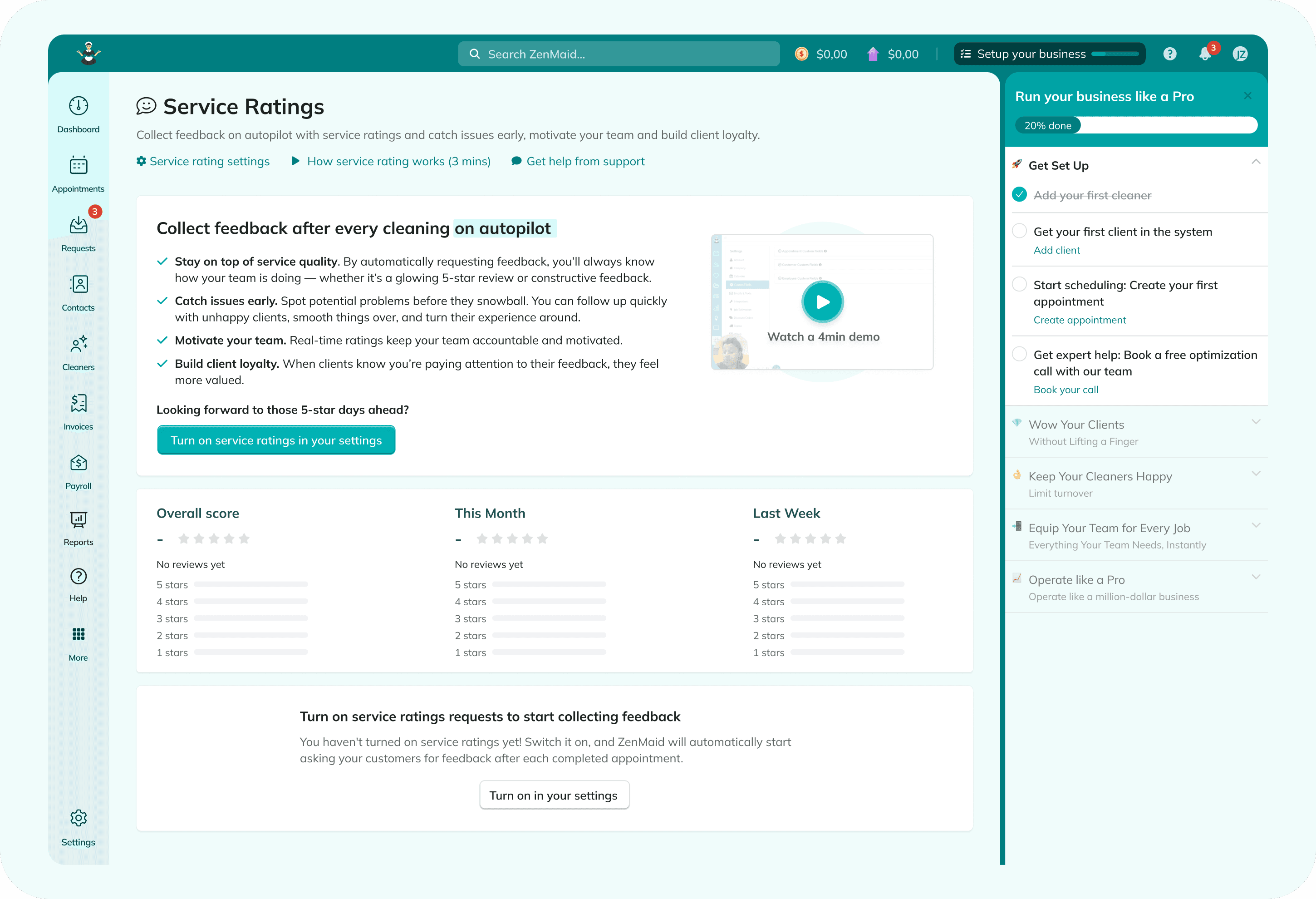
If I think about ZenMaid, one of the teams we work with, the customer success essentially makes people less scared to use the software - because they're not technical, we're talking about cleaning business owners. So they make them feel safer, it's really a bit of a demo. And the other one is feature adoption. We have, for example, service ratings, and people can discover them in many different places, but this doesn't mean they always pay attention. One thing we've been realizing now that we're exploring the agent experience and creating some kind of chatbot is that it's a really good tool to push for usage of new features that people didn't know about. They may ask "are my customers happy?" and then you can tell them: hey, you're not using the service ratings, maybe you should start using them. This is kind of a fake scenario of course, but something like this, where they're trying to find something and the AI can tell them "you could also use this functionality." And now you increase the adoption and the retention and all the things you're optimizing in a SaaS product.
That's what I really like with your approach: you make it super simple - don't go build it by yourself, just plug in Foldspace and get all this value. And one thing we've been discussing in previous calls is also the analytics part, which is really interesting. For me as a designer, I'm really curious to see what people are gonna prompt in that chatbot and understand what they're looking for and what they're struggling with, because it's a great source of knowledge for ideas and improvements of the product.
Clicks whisper, prompts yell: intent data
Mickey (08:32): I was very passionate, as a founder, about how I really build the right solution. Is it data-driven decisions, experiments? Because building products is half science and half art - you need creative thinking because you're building something new. So how do you figure this out? How do you create closed-loop feedback? How do you measure things so it can become more data-driven as you experiment?
When you start measuring things, in many cases what happens today is you're looking at clicks, page views. It's really hard to understand the intent - what users are trying to do - when you track just the clicks and page views. But now with AI, they just chat. And in the chat, I think there's a gold mine of intent, a gold mine of many elements you can learn from. I want to understand what users are trying to achieve, and they're gonna just tell the agent. What we say is: clicks whisper, and prompts actually yell. People are actually telling you. So to me, going agentic allows you to really learn what customers are trying to do.
Going agentic has its own challenges as well, because users don't necessarily know if you have the feature. They just see a prompt and they're gonna ask the agent. So you can suddenly, for the first time, tap into demand. You can tap into the sentiment, you can understand what they're trying to achieve, how they describe the problem, what the actual problem is. When they click around, you don't know what they're looking for - clicking here, clicking there, you have no idea. When they chat, you know what they're looking for, and you can actually measure. So for the first time we can talk about true analytics that combines usage but also intent. It's a really powerful way to learn, closing the loop.
Mickey (11:14): Another thing about the agentic interface is you can run experiments. Today when you launch features with the classic UI and menus, you can't really run experiments and move the menus around. But with an agentic interface, you can launch capabilities the agent can suddenly do, and even visualization inside the chat, and you can easily move it, take it away, tweak it, without massive changes to documentation, training, all that dependency. So the learning from data becomes actually easier and more powerful.
What's broken with product analytics
Jim (11:50): Yeah, I pretty much agree on everything, and also on the analytics part of combining the qualitative with the quantitative, so you actually close the loop and have both. Honestly, with data: we work with companies that are between one to five million of recurring revenue, usually bootstrapped, and what we've seen is that they're not really crazy about tracking. Many times the tracking they have is pretty basic, to barely existing sometimes.
From my personal experience, it's only a few times where I found analytics truly useful. And there is this guilt of "oh, maybe I'm just not good, maybe I'm doing it the wrong way." But the more I talk with people, I realize I'm not the only one. I cannot say analytics in general are not useful - we've done A/B tests and that was really useful, it was clear: two variants, this is how both of them perform, how many people saw them. Really scoped analytics. And then we have the high-level metrics we look at. But when it comes to product usage, it was pretty chaotic. You can come up with the percentage of how many people use the invoicing feature, let's say, but in the end, what can you do with it? It's just a signal.
The interesting thing is when you combine it with what kind of goal they have, what they're actually trying to do. Finding meaningful data that can tell a story and give you something to do is not easy when you just have numbers, and when you can combine it with the actual content and the intent is where it gets really useful. A small example from KnowledgeOwl, a knowledge base software we're working with: we built an AI chatbot for the actual knowledge base, the customer-facing website. When their customers start using the native AI chatbot, they can see what people are searching for, and then they can tell whether people could find an article and an answer or not. So they have very clear guidance: here's what I need to prioritize in terms of my documentation. It's a very good example of what you're describing, scoped only to documentation for customer support. If you can have this for the whole product usage, that's a gold mine.
Implicit usage, adoption and churn
Mickey (14:35): It's helping you understand the why behind the what. They do this - but why? They don't do the other - then why? But it also changes the way usage data is measured. When we built Gainsight and worked with companies like Adobe and others, we realized: usage is a stronger indication for adoption and prevention of churn. The best cure for churn is product adoption. And if they use the advanced features, it means they see better value, which leads to better renewal rates and better outcomes. There's a correlation: do they know about the advanced features, do they know how to use them, do they spend the time to learn? If they do, they most likely see the outcome, and if they see the outcome, they're most likely to renew or expand.
I feel like this is gonna change dramatically, because as a user I can today engineer success into that solution. When you prompt something, the agent can operate advanced features as a user - I might not even know about them. So usage of advanced features will go up instantly, but it's gonna be implicit usage versus explicit usage. Implicit usage meaning the user just prompted something and then the agent did it. So that's another area to rethink when you think about tracking, understanding usage, and driving users to use the advanced features.
I think an agentic, AI-native experience is changing that. I no longer come to learn your solution, to learn the advanced UI stuff - I came for the outcome. That's a major change. If you're trying to educate me a lot, I might want to be educated about the messaging or the strategic framework, but not necessarily about how to use your solution, because that's not necessarily gonna be the successful path to win clients.
Why UI revamps end up lipstick on a pig
Jim (16:59): Yeah, I fully agree. And like what you mentioned in a previous conversation we had, especially with more enterprise products: when you have a ton of functionality that's already built, there's a lot of technical complexity and a lot of different constraints - saying you're going to just fix the UX is not really a solution. That's where these kinds of products can really help, when you have a lot of legacy and products with a ton of functionality that you really cannot just solve with great UX, because it becomes more of an ambition and less of a tangible goal you can hit within the next months. And the cool thing with Foldspace is that you can just have it, like, next month. The speed of delivering that value is way faster than any redesign you can do.
Mickey (17:52): That's another learning, by the way. I went through a couple of revamping-the-UI projects. I think even Salesforce back then did a huge revamp of the UI - it took them more than a year at minimum. Then eventually what happens is your new user says "hey, the product looks nicer, it looks more modern" - color, fonts, you name it. Existing users hate it, because now you moved stuff they know around. It's a tool - they came in to do something, and suddenly, where is that element? So you have to upset your core users just for looking nicer for new users. And eventually - did you actually cut the functionality? Did you change the functionality? In many cases, not materially. So you end up with a massive, expensive project that ends up being like putting lipstick on a pig.
I don't think Salesforce became an easier product to use. I think it maybe became nicer to view, but not necessarily easier to use, because again it has a lot of features and menus, you have to go menu diving - there's no way around this. So the next time you think about a UI revamp, think twice: is it really necessary? As soon as you become AI-first and AI-native, UI has a serious job, but not necessarily the menus and menu diving. Revamping a UI is always a signal that you have a lot of features, and now you're gonna spend a lot of time, you're gonna make some of the customers very happy - it looks great - but most of the customers are gonna be upset because they need to relearn all the menu diving they learned before. So it's an opportunity to think about agentic and AI-first, because it's a major decision point.
Jim (19:49): Yeah, exactly. And another thing that comes to my head, thinking in a practical way: prioritizing what to redesign. Some redesigns will eventually have to happen, it's kind of the nature of product evolution. But when you have a lot of features, which one to redesign? That's another question where what you can see through a tool like this, through an agent experience, can tell you where to put your money and time. Prioritization is a big thing, and it's super useful there.
The PLG playbook, rewritten
Mickey (20:42): I was also co-author of Mastering Product-Led Growth, I think the first PLG book out there, in [UNVERIFIED — please check transcript at 20:53]. Back then we said: number one, start from the first mile of the product, remove the friction points. In UI, you need to find the areas with a friction point and then optimize these. When you think about AI-native, AI-first, those kind of go away. You want to delegate the cognitive load to the agent. So friction is now redefined.
I think the playbook for PLG completely changed now. Back then, driving users to first value, or what we called the aha moment, was about driving you with tooltips to click somewhere. With AI-first and AI-native, that is changing. You can actually do a generative play, where you generate that outcome for that user. And it's not reducing friction - it eliminates the friction completely. That's a big promise when you go agentic. And the big question is: what's the role of the UI in an agentic era, in an AI-first strategy?
The role of UI in an agentic world
Jim (22:12): Yeah, on this one - the next key topic I want to dive into is AI, to zoom out a bit. So that would be a good question to start with: what's the role of UX and UI in the future, from your point of view? How do you see the future of SaaS user experience? Is the agent experience going to coexist with the existing ones, or replace them, or maybe something else?
Mickey (22:58): I think what we're seeing is a huge swing. First it swings to "everything's gonna be chat, there's no UI, it's headless SaaS." In the end, when you actually want to book a flight, you want to see the seats, because it helps you see which seat to select. You want to see comparisons. Visual is much, much more powerful than chat. So chat to tell you what I need - chat is the best way, maybe voice. But to consume data, UI has a huge play.
We're seeing massive differences. In the agentic interface we offer, we also do visual elements, and we measure how many users engage with a text response from the agent versus a visual response. The visual response gets a lot more clicks and engagement - dramatically more - than the text response. Users don't have the time to quickly read a lot. I can analyze a visual: seeing a KPI trend takes me probably milliseconds, because we are tuned to understand visuals very quickly. A line going up, and I can see a number - it takes me a split of a second. But if I need to go read two, three sentences, that requires different skills.
I do think UI is gonna stay there and allow me to visualize, allow me to see things I don't even know about my data. If I have a question - great, chat. But if I just check the dashboard to see what's going on, there are things I need to see, because sometimes I might even forget to ask. The way I see it, UI is gonna be of course agentic, generative, but still allowing me to use visualization and clicks for things like designing something, changing a date picker, moving things around in an editor, sketching - those things, sometimes clicks are much easier, faster and more efficient. But when it comes to generating, it's much better for me to describe what I need in chat. If I need quick answers or a quick prep for a meeting, I want to see it in a nice widget. But when I want to see what's going on, I would definitely love to see the dashboards.
So I think it's gonna be a combination: less and less menu diving, more and more agentic experience. A different way to think about it: you take a B2B product and it becomes a series of lovable screens. Lovable is one screen - they generate a website, and that's what they do. The website is on the right side, the chat is on the left side, but it's always there. As soon as you go to your dashboards and other features, suddenly you need another Lovable experience, because now you're in a different context. So when you think about your solution today: how can you turn those screens into lovable screens, with very contextual assistance built into that, so users don't have this cognitive load? They feel that productivity is part of your solution. But still, in many cases, clicks and visualization are so powerful.
Jim (26:54): I fully agree, and not just because I'm a designer. It's something I've been asking myself a lot - am I spending my time on the right things building my business? And that's what I feel as well. You described it the best way possible: for passing over information, text and audio are great, but for consuming information it's a different case, you really need the visual. If we take the example of scheduling software, you really need to look at your calendar and be able to say, these are the cleaning appointments I have for this week, these are the cleaners - you need the color coding and all these.
But the really cool thing AI can add on top of that is artifacts: it can analyze that calendar and create different kinds of artifacts. That's something I really love, that AI can generate these dynamic visual elements - not just static images, but HTML mini apps or websites. If you need to reschedule 10 cleaners at the same time, it can really help you generate some custom views, which you can define from a UX point of view: when people do this, generate a view similar to this, you can give it some components. You can empower customer workflows in a very seamless way, where it's not another button hidden under a menu they need to explore. They can actually say "I want to reschedule these people" and the whole thing is very dynamic.
I'm curious, what are the most AI-pilled, let's say, products you've seen out there on the design side? Because what I've seen mostly is that the AI and the rest of the UI are pretty much separated: you have the conversation chat and then the static interface. Like Linear, that is very popular in the project management space - the only way it's integrated is the agents, when you leave a comment under an issue and the agent can jump in. Have you seen products where the whole UI is more dynamic?
Bolt-on AI and the context problem
Mickey (29:07): Very few, I would say. Today we are still in a bolt-on kind of AI, because it's easy quick wins: "I'm gonna help you summarize this page," or it's just a support AI. It lacks the context. What we are pushing for is an embedded one that is actually next to your screen, and it should be powerful enough to change stuff. For example, with Mixmax, it can change the stages of the sequence you're building, it can read it - so you feel you have a true generative copilot that is really helping you when you need it.
In many cases what we're seeing today is just a button that says "generate with AI." As soon as I see that, I think it's designed to fail. And the reason is it doesn't have enough context. If I click a generate button, it's like going to Google search and just clicking "I'm feeling lucky." I didn't give you a lot of context - what do I need you to do? To be successful, you want to have the context. We invest a lot in context.
One of the things an agentic interface needs, where a classic interface does not: a classic interface is very deterministic - menus, clicks, visualization. An agentic interface, to be effective, needs context. It needs to know which page you are on, what the content of that page is, how your dashboard looks right now, what the data is inside, who you are as a person, what your objective is. When I chat with the agent and it has the context, it's much more powerful. But if I just click "generate with AI," it doesn't have all this context. Knowledge about your solution - all that is context. That's the huge difference between having a bolt-on or a more native experience. So context is becoming the name of the game. It's not just how it looks, which is also very important - it's what type of context you can constantly give the agent. And one of the other pieces of context is what features it can actually use. Usually when they just bolt on a "summarize this page" button, it is helpful, but it's kind of trying to feel lucky. We are not putting AI in a place it can be very successful, because it doesn't have enough context. And maybe the user wants to tell you something before they say generate.
MCP is a new name for API - and UI is free context
Mickey (31:55): Usually what happens is companies are launching AI but not necessarily rethinking everything - they throw everything to an MCP. But MCP also lacks the context. MCP is a new name for API. The decisioning of what to do, the best practices, all that stuff is lacking. And I think UI has a lot of context. Let's take an easy example of a dashboard. If I give you an MCP, I need to also make sure I pass defaults and things like that. When the agent is inside the UI, your UI already has those defaults - it picked the last 30 days, it knows your settings. So there's a lot of power in deploying an agentic interface, as opposed to saying "no, everything's gonna be managed from Claude and MCP is gonna solve it."
MCP is gonna solve a lot of input-output cases when it's very specific - like, I'd like to open a Jira ticket from Claude. But not necessarily seeing what I don't see, like the burndown chart and things like that. That's where I need the visualization, and I need a powerful visual, not just a simple one. If I find myself giving a lot of context to Claude, that's kind of the UI context I usually just get for free when I log into the solution. So UI today is becoming part of the context, and I think this is what is missed. People say "we're gonna have MCP, don't worry, and everybody's gonna be in Claude." And I'm like, okay - how are you gonna differentiate products if everybody is in Claude, using your solution, and you're a headless SaaS? What's gonna be the differentiation?
The good news, I think, is it's not gonna be that way. The most successful AI companies, like Lovable, are very much with UI, and you are going to their solution as opposed to trying to do it outside. Even when you code stuff, you want to see visualization - what is the output? Without that, it's a bunch of code.
Jim (34:23): Yeah, I fully agree on the context. From my personal experience, the fact that I need to provide a lot of context is sometimes the friction point that makes me avoid using AI through an MCP - I really need to describe a lot of details of what I'm gonna do. Let's just do the clicks, it feels more productive.
Jim (34:54): One thing that I haven't seen as much, but is very interesting - I brought the example of rescheduling before. Let's say you have 10 cleaners and one cleaner leaves, and that cleaner has 20 customers they're working with. Suddenly you need to take all these customers and find a new cleaner for each of them. You need to look at the schedules of every cleaner, what are the open spots, then discuss with all these customers. It's a very complex process from a business point of view for a cleaning business. This is one of the use cases we want to approach with AI - we were discussing it yesterday at ZenMaid.
What I'm really envisioning is custom flows you trigger. Let's say a cleaner quit - maybe there's a button for this that triggers a custom flow powered by AI, where you look for very specific context, you ask very specific questions, and you use generative UI to make it a four-clicks process instead of a two-hours process. AI-powered sub-flows that are really focused. Because usually there is just a button - "generate a summary" - something very simple, not really a full flow. And on the UI, it's really true what you said: you see where they are, you can see the context, you've also seen what they did before, so you already have some idea of what these people are trying to do, and then you can gather some more and help them out.
The new stack: deterministic backend, agent loop, agentic interface
Mickey (36:44): I think the new way to think about the architecture is: we're gonna see more agentic interfaces - UI with generative, with chat, with voice, with dynamic elements - but we are still gonna see, under the hood, deterministic endpoints. The reason is that when we save something, that's not where the probabilistic layer is good. You want to have those validations and deterministic elements, so you did not book a phantom flight to somewhere. So that is gonna stay. Most companies have that: if you have a big customer base and usage, you actually have valuable data and workflows that are there for a reason - a lot of years of investment that is still very much needed.
Then there's another area, which is very specific, focused workflows. Each business has its workflows, it's part of the know-how. This is where you build those specialized agents that take decisions to trigger the right workflow. So it's a combination of deterministic with AI. It's the same in the front-end: in an agentic interface, we do a combination of deterministic with probabilistic. The AI is taking decisions, but eventually it goes with your existing UI, your existing backend - it's just a driver in that car. It takes away the friction and cognitive load from you. When you build those agent loops in the backend - for example, looking at cleaner data and automating something - they run in the background. You're gonna build that because this is your specialized area, you're gonna leverage your data and automate some of the decisions. Again, when the agent takes a decision, it will trigger a deterministic workflow, because you want to have consistency.
It's a new way of thinking for engineering, product, UX. It's also like our brain and our bodies: our brain can dream a lot, but our body is very physical. There's gonna be a combination. We are adding a brain to the solution, but you also need to make sure it's grounded in your data and your workflows, so it's predictable and reliable, and at the same time very personalized and smart. So the new stack would be: deterministic, then the agent loop which you're building, and then also the agentic interface. Those are three different things that are changing. That's the way I see the architecture.
Proactive products and building trust
Jim (39:42): Yeah, I fully agree. Even I've been thinking about them - for example, when the AI suggests some kind of changes, just ask the user to confirm every single change to make sure nothing goes wrong. Making it very clear this is what's going to happen. And the analogy you made with the brain and the body really makes sense.
One thing that is for me super interesting with AI, and that I really want to see as features in tools like ZenMaid, is that now the product can be more proactive. You could make it proactive before as well, but it was more complex from a technical point of view. One of the use cases we've been discussing with one of the customers: they run a cleaning business of 30 cleaners, and they track on spreadsheets when a cleaner says "I'm sick" or "I cannot make it," because they want to track the behavior and see if somebody is calling in sick way too often and abusing the policies, and whether there's any alarm that should notify them. With AI, you can just have agents do this on a daily or weekly basis and really make the software more proactive and guide you.
From a UX point of view, that's the most fascinating thing: now you can build less of a machine that has input and output, and more of a live organism, in a way, that is awake and thinks on its own and does things. From a design point of view it's pretty fascinating, because you can provide more value and add more sophisticated intelligence based on the workflows these people have, the very specific problems they have for that specific business in that specific industry.
Mickey (42:01): I think another top topic is how do you build trust as well. There's a lot of decisioning happening, and you need to build that trust that the output you're seeing is actually right. This is why I'm saying: if users can double-check - "great answer, but can you show me the full report?" - that is increasing trust.
And as you said before: before you do any change, there might be a misunderstanding. It's not even about hallucination. It's about: you said something, you forgot to mention something else, and I just went ahead and did it. I work a ton with Claude every day, and sometimes it stops verifying with me, because Claude knows I like to move very fast and I appreciate a closed loop with less questions. But at some point I say: hey, you're not putting me in the loop, and you're changing stuff - now I might lose trust. You need to keep me safe from myself. I might not have provided all the context, and you just did something that is not what I intended to do. So it's not hallucination, but when it's a meaningful change operation, it's something you want to always show, and even show visualization, so I can actually trust and see that this was what I intended to happen.
Mickey (44:20): Building trust is about showing the user the full picture. If I'm not showing the full picture, I might have missed some context for the agent - the agent thought it understood me completely, or I just missed saying "I didn't mean that impact." So before create or update or delete and things like that, we definitely advise putting a human-in-the-loop visualization: the agent says "here's what I'm gonna do," and then you just click approve or apply. More and more we're seeing that if it's harmless, we want a quick experience, but if it's something where the impact of a mistake is high, human in the loop is mandatory.
Users expect AI to do, not just answer
Mickey (45:24): One thing we found really interesting: when we deploy an agentic interface, we measure how many people ask questions - like support information - and how many actually ask the agent to do things for them. We even went to different industries, non-tech, and we found that 70% of the people will ask the agent to do things, and only 30% at maximum will actually ask for information. The switch that happened with GPT, Claude and everything is that people now understand that AI can do. We have self-driving cars, we're seeing robots, we have autonomous drones. So people expect AI to do, not just to answer questions. Why would I ask questions? I'm gonna just tell you to do this and I expect you to help me with that.
It was a very interesting learning. We thought we were gonna need to explain that an agentic interface means it actually can do things, not just provide information - we did not need to educate about that. Users come in and actually ask the agent to do things. Even blue-collar type users, which is great to see.
Jim (46:34): Yeah, 100%. That's also the thing about the future of SaaS products: it's a whole thing in progress. Humanity is now adjusting to a new technology, so what is true today is not necessarily true next year. If I look at myself, 2025 versus 2026: totally different relationship with AI, totally different usage and different expectations on what I assume is gonna be correct versus not.
On the trust building, I really like the whole mental model, where if you think about it, you incorporate a brain into the system. You could say this is like a coworker, a virtual human in a way, that people need to build a very specific relationship with, and trust is one of them. How do you define trust in a specific product? Confirming before you change any data is one, hallucinations, all kinds of things - but it's a very interesting mental model to define what we really need to be careful about when we deploy a solution like this.
Because indeed, if they lose trust - that's something we discuss even outside of AI for software. If people see that the calendar has bugs and suddenly some appointments are not correct, and they lose trust, you lost them. Maybe one, maybe two times, then they're gone, because they cannot trust what they see. It's like working with me: if you ask me to do something and I say yes five times and I don't do it, it doesn't make sense to ask me - you're probably going to stop working together, because you cannot rely on what I'm saying. It's the same thing with products. From a UX point of view, what you need to be careful about is not just the visual design and the user flow, but the whole behavior of the system.
Speed: the first prompt should deliver 80%
Mickey (48:51): There's another aspect of speed and learning and UX. As you said, I go in and evaluate solutions - there were a couple of solutions for generating great slides, I'm not gonna mention the names, and even Gemini and Claude can generate slides. You find yourself comparing the outcome from each one: which one created the best outcome faster? The initial generative part. I felt that's going to be one of the things to think about: how can I generate the best outcome from your first prompt? It's gonna be 80% of the outcome. It's actually not good to do a hundred percent, because you're never gonna know what I really need - but you know the basics.
The expectation is for low friction: I just start from a prompt, I see the outcome. This is like nuts - we used to go in, click around, start filling out forms. The speed of delivery of outcome is changing completely.
The other aspect of speed: startups today can build a whole feature, a whole system, very quickly. If you're an existing company with an install base, you have an advantage - you have customers and data - but you have a huge disadvantage: you're moving slow. Even if you think you're releasing every week, every two weeks, every day - I think you're moving slow, and you have to realize you have legacy code. You have to iterate very quickly, you have to learn very quickly. If you're still doing a six-week sprint to iterate and learn, you're gonna be a very slow-moving vehicle versus a market that is truly closing the loop faster.
Getting a strong feedback loop, understanding a lot regarding the UI, the UX - is it actually compelling? People will go in, and if they're getting stuck, they're not gonna come back, they're gonna jump to another solution. So being iterative, learning and applying quickly is gonna be key. You cannot have a great roadmap anymore and say "yeah, in six months I'm gonna be decent there" - you're gonna start learning in six months, which is super slow today. Six months today is like a lifetime. [UNVERIFIED — please check transcript at 51:39] - a couple of companies went in nine, ten months to a hundred million ARR. It's a lifetime, it's like 10 years. So culturally, moving to very fast, quick iterations is so critical now.
And again, with the agentic interface there's a huge benefit of learning quickly: you have the intent data, so you know what they're trying to achieve, and you have the usage signal, so you know whether they're successful or not. Of course it creates a new area: how do you test-automate that, how do you compare different models, there's the element of cost, how do you know which model performs the best, the fastest, and the cheapest? Those are the new challenges that moving to AI-native or an agentic interface introduces. Everything has to be rebuilt - the way we think, the way we deliver, the pace. Those are exciting changes.
Shipping AI code without losing control: TrustLab
Jim (52:45): I'm curious, a quick question, because you have a lot of experience in the tech and SaaS industry. I guess you've seen your dev team and product team being able to ship much faster, but when it comes to reviewing code and getting things in production, having a stable product - what are some challenges there? That's something I keep hearing from devs: I've seen dev teams moving faster but always being skeptical - I'm not gonna just ship AI code and call it a day, because this is way too out of control, I don't really understand what is in there, how can I maintain something where I didn't type the code and don't fully understand it. And when I hear stories like the guy who opened 350 PRs with Claude Code in a night - okay, cool, but what is in that PR? It could be a change of a label, sure, you don't need to test that - but it could be a whole new feature that is more critical. In this changing environment, that's something I'm trying to figure out, how different teams approach it. I'm curious about your take.
Mickey (54:02): We are moving super fast. Obviously the token cost is going up dramatically - Opus is like an army of developers. And of course the big risk is: how much can you as a person review? Engineers are changing in the way they articulate the jobs to be done and the way they review. One of the speed blockers is that usually engineers are not measured by how they describe something or communicate - they're great at logical problems. But now they need to actually describe and articulate exactly what they're trying to achieve, because this is a language model. Suddenly it's not about how smart you are in algorithms and math, it's how well you articulate a problem.
The other challenge is: can they sit and review a lot of code? You can write at one pace, but suddenly it's like counting at two hundred miles an hour - that's a lot of input. So there's a risk of code drifting in ways you didn't intend. The way we tackled that is with tests, looking at more and more coverage in testing. And actually, testing AI is a completely different challenge. We built another solution - we call it TrustLab, and we're thinking of even launching it as part of our solution for anyone who wants to use it. It tests agents, the way the agents behave, and it does that automatically. It's not like classical testing where deterministic testing is failed-or-succeeded. In AI testing, it's about a score: how well did the agent do? It's about LLM as a judge, all those other elements. Suddenly you need to test AI, and testing AI is non-deterministic - it's not true or false, it's about whether it's getting better in percentage or worse. And obviously, whether it did something it should not do.
When we launch an agentic interface, number one, it's always grounded in the existing product and user permissions. The worst-case scenario is it tries to do something on behalf of the user, and it cannot do something illegal or that does not fulfill the parameters. Second, we test different behaviors, and we use LLM as a judge with this trust layer. When we switch models - from Gemini Flash to Pro, from 3 to 3.5 - we want to understand: are we getting better at speed? Is it better quality? We get a spectrum of scores of how well the agents are doing. We discovered this need and decided to build a whole module called TrustLab, so we can iterate fast, deploy fast, but always see how the agents are actually performing and detect if there's any [UNVERIFIED — please check transcript at 57:48] leakage. It allows us to deploy quick changes but with enough security that it will catch issues before deploying. And if we did deploy something, it will surface it very quickly - hey, this is something that is not expected.
Definitely a challenge. The bottleneck is actually the end user - we are the bottleneck for AI. We need to read a lot, write a lot, know what we're asking for. The other bottleneck, as you mentioned, is: can you actually test the volume of features you just released?
Jim (58:23): Yeah, for example, I created three PRs within the last few days at ZenMaid with some design improvements, and I'm not an engineer myself. I looked into the code, at a high level it looks fine, I don't see any crazy change - but a developer needs to review, and now this is going to take days, because somebody needs to have capacity. These are problems I've seen coming up in bigger teams: too many open pull requests that need to go through a review, and they leave a comment, and you reply, and they need to look again - a very slow process.
So what I hear from you is that what's emerging is you need to build way more advanced tooling for the review, and not just keep it traditional. Because if you do fully AI-native coding and then fully traditional human-based review, it defeats the purpose - you get a lot of speed writing the code, but it's still slow because it takes forever to review. And I guess for every company it's different: it's different if you sell to enterprises, or if it's just a fun B2C app about seeing where the sun is, or if it's something your whole business relies on and the data is sensitive. The type of testing and the infrastructure really depend on the product.
Mickey's favorite tools: Claude Code and a self-built agentic CRM
Jim (1:00:00): I see we're almost on time, so let's go to the last question of the podcast: what are at the moment your top one or two favorite SaaS products - they can also be apps, they don't have to be B2B SaaS - and why are you so excited about them?
Mickey (1:00:36): I would say obviously Claude Code is the number one thing I'm using today. The way I actually like it: we've created a learning loop. We still have a CRM, but we also have a project in Claude that is kind of an agentic CRM, because it actually learns. When we need to send a proposal or get a status, it's very smart in helping us. We store the data in the CRM, but I really enjoy that. Also in product marketing we have a project, and everything we do, it always learns and registers everything. It's such a great solution to go in and all the context is live - the agent always learns with you, so you can produce very smart outputs and it evolves with you.
I found that the next generation of solutions that you like to use is the ones that learn and evolve. We're trying to also be that solution: when we think about our product, I want to make sure that if the first user comes in, we learn from that, and user number one thousand is gonna get a so much better experience, because there's always a learning loop you want to apply. Tools that learn and improve are something you enjoy using. And by the way, that's exactly what Claude is doing - it's learning and releasing versions that are better and better. The same with Lovable and others - you can see there's a learning loop, they evolve and they're getting smarter.
In some cases I also discovered that we build our own tools - something that in the past I would not even dream of building. Today we use marketing tools, the known marketing tools, and as soon as the configuration becomes a hassle, we just say: let's just build that feature here. Usually what they do is segmentation, data enrichment - those are easy to build, and the difference is we want to put our own context. So it's interesting to see the dynamics: we end up using probably more communication tools and less and less of the heavy SaaS. The ones I enjoy most are the tools that actually learn, that are getting better each week, each month. Not more features - they actually learn, and you can see that the output is better.
Jim (1:03:29): Yeah, it's a very interesting one. Also, you're the first one who says that your favorite products - I mean, you said Claude, okay, that's an existing one, but the other two were actually things that you built. That's an interesting observation: it's not something you purchased.
A quick question on the agentic CRM. From what I understand, it's some kind of mini app that you connect to different sources, and it actually learns about every customer and gives you the full story. That's something I've been discussing with one of the teams: we have tried different CRMs, but they're really focused on the operations of a sales team, and less on "here are the 10 opportunities I have active in my pipeline right now, I want to click on each of them and just see the full story" - what's going on, what we discussed by email, then through a call - and then generate insights in a weekly report my whole team can consume. It's not so complex: your email inbox, your transcripts, and Slack are the three sources - connect them and provide the story in a good structured format, and create some weekly reports. I haven't seen it as a feature in CRMs that much. You always need to connect all your sources there and then use your email through the CRM, which makes it way more complex. So I'm curious about your agentic CRM - what are the core things it does?
Mickey (1:05:10): So the big difference is - it sounds easy - the big difference is how you create that learning cycle. Usually when I go to a CRM, I find myself collecting data. This one knows how to collect data for me, and I don't even need to ask it. I say "I need to write this proposal for this customer" or "I need to write this email to this customer" - it knows how to collect the data. It also learns: we're kicking off a deterministic job that makes it learn - it stops, crunches the topics, understands. We plugged it into a vector database and a classic database so it can store things - it's a live memory.
The reason I didn't like going to a CRM is that fetching data is so tedious. Now I just focus on "I need to write this" - it already does the collection, and it learns from last time. For example, we changed our messaging - so when you do a price proposal, it automatically knows to change that. The other one, the marketing agent, is more of a data producer: it always keeps track of our messaging and goes back and updates all the places. So you feel it's actually progressing with you.
Learning is something most LLMs are not good at, because it's very expensive for them to have a big memory. So we invested in those vector databases, like local memory, plus a deterministic flow saying "go learn and fix everything." There's no longer "my god, I need to go to the CRM," or a marketing agent where I need to bring a lot of context again. The number of iterations, the number of prompts, dropped dramatically.
I think one of the new KPIs is: how many prompts did you have to do before your outcome? With a good agentic interface, with learning, with good UX and good output, you're gonna reduce the number of prompts. If in 2025 it was the number of clicks, I think in 2027 it's gonna be the number of prompts. And also the speed, by the way - the speed of the LLM. We are seeing that if the LLM takes more than three seconds, the user disengages. So speed is a thing for users.
Jim (1:08:14): Yeah, 100%. One last quick comment from my side on this: I've been working with Conductor so that I can work on many PRs at the same time. One new thing that wasn't there before: when I'm building, suddenly I have to wait. Before, I didn't have to wait - my brain was always active. Now I run the prompt and I have to wait for Claude to finish whatever I asked it to do. And how do I fill that gap? Sometimes it may take minutes. That's why I installed Conductor - I work on three similar projects at the same time so that my brain is not gonna get destroyed, in a way. And it's what you said: if it's more than a few seconds, I need to do something - and I shouldn't open my inbox, I should just have another project I'm working on, with many parallel workspaces.
Very, very interesting stuff. Thanks a lot for the insights - I think it's the best episode we have on AI hands down, this one. Why I love the podcast and talking with people like you is because you can really see what's going on, and not all the happy headlines or social media - because you're building a product, you're selling to companies, you have real data from real users that you can stand on and talk about. So thanks for everything, that was really, really useful. Thank you.
Mickey (1:09:36): Yeah, thanks a lot. Thanks for having me.